🎉 New Draft Mode Available (+ Automatic Position Sizing)
Hey everyone,
We’re happy to announce that the Draft Mode is now available.
It works with all order types: market, stop, and limit orders, and is fully supported on both desktop and mobile.
✅ Market orders:
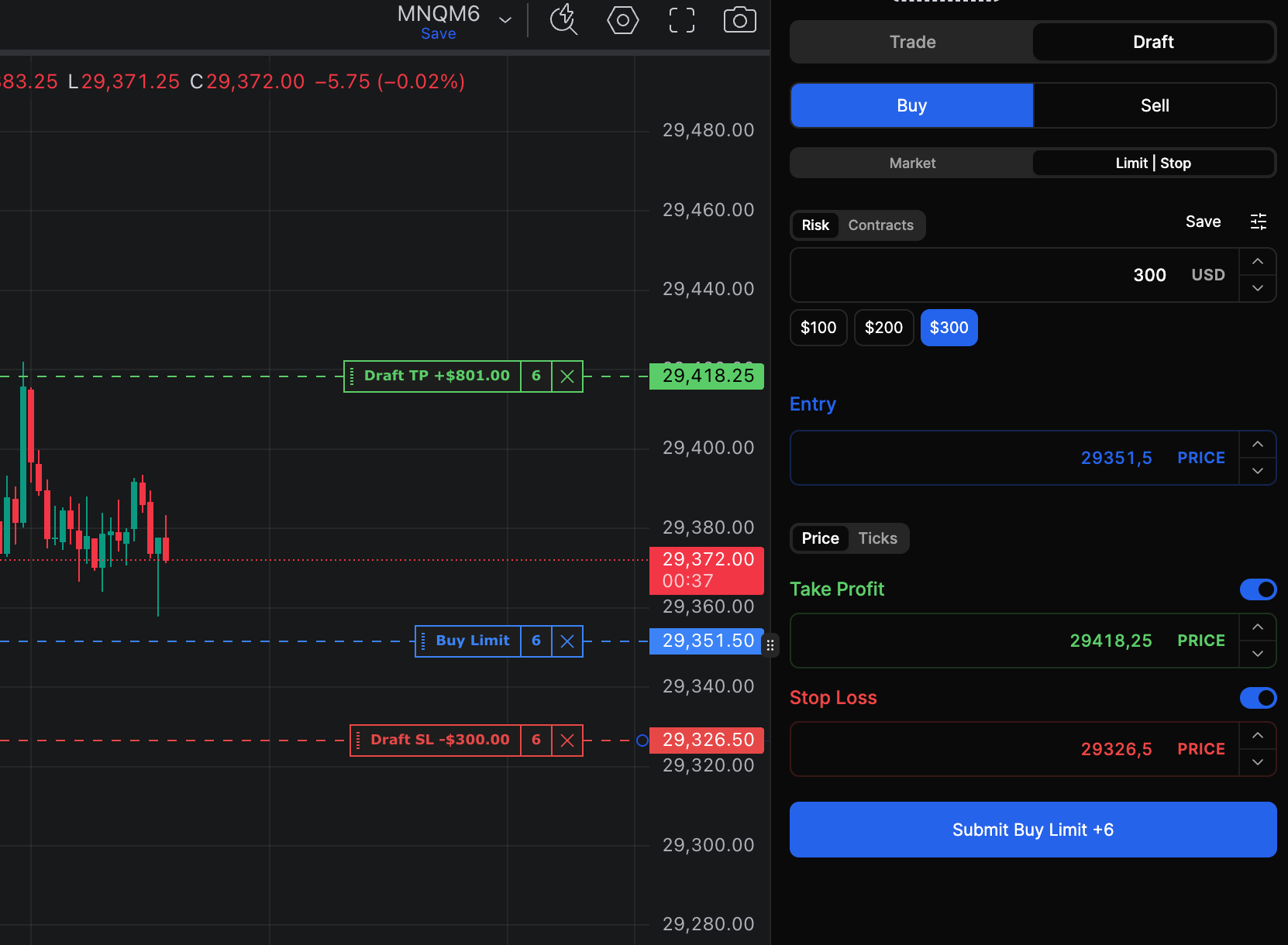
With the Draft Mode, you can now define the stop loss, the take profit, and the exact dollar amount you want to risk directly on the chart before entering a trade.
The game-changing part is that the platform automatically calculates the correct contract size based on your risk amount, the current market price and the stop loss price you set.
This makes it much easier to enter during volatility while still risking exactly the amount you want to risk.
✅ Limit and stop orders:
The same feature is also available for limit and stop orders.
Enter the Draft Mode, drag the entry, the stop loss, and the take profit orders on the chart, and everything will be calculated automatically.
This makes entering and placing orders much faster, while making it simple to always risk exactly what you want to risk.
On mobile, this is especially helpful because you can now quickly draft and adjust an order directly on the chart. You can also use it to place a single limit or stop order, for example if you want to trim a position.
Just enter the Draft Mode, drag the order on the chart, and submit it.